This article explains how to quickly identify the type of compressor present in an industrial installation. Visual, mechanical and acoustic clues make it possible to quickly identify the technology used: external structure, operating noise, nameplate and key components.
Observe the external structure (cylinders, oil reservoir, fan).
Listen to how it runs: continuous = screw; reciprocating = often piston.
Analyze the nameplate: ACFM/FAD = industrial compressors.
Identify the key components: air/oil separator, coolers.
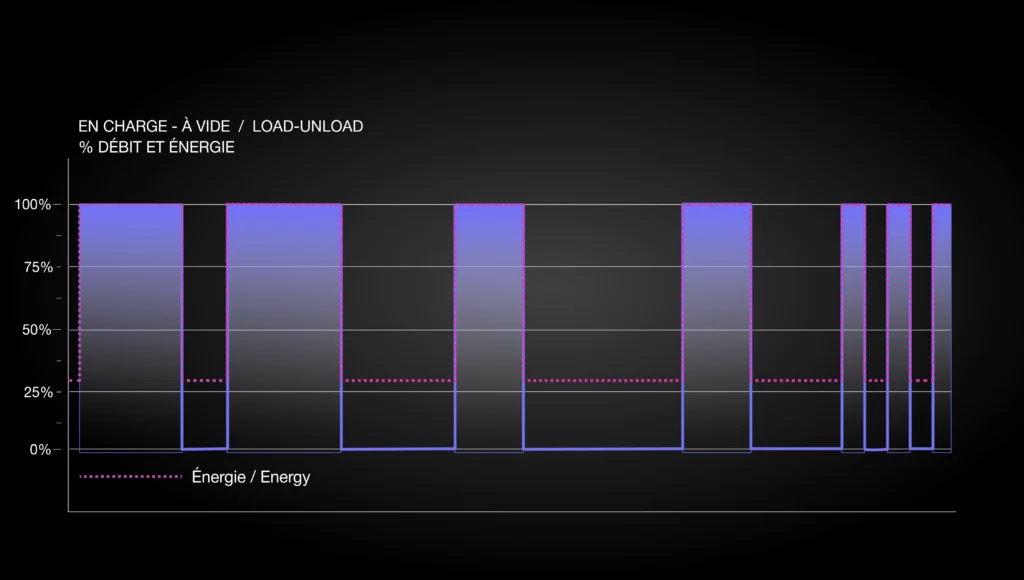
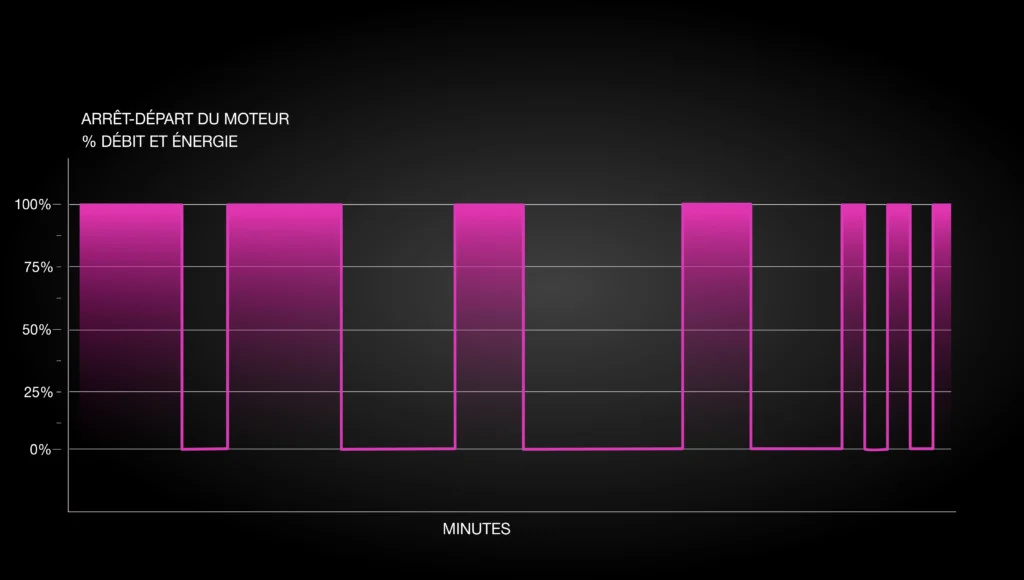
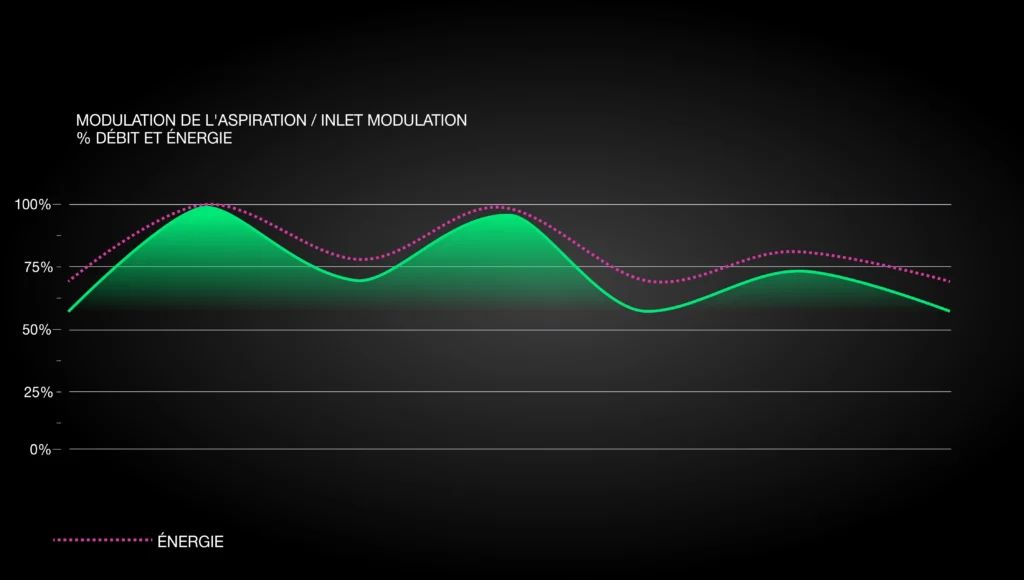
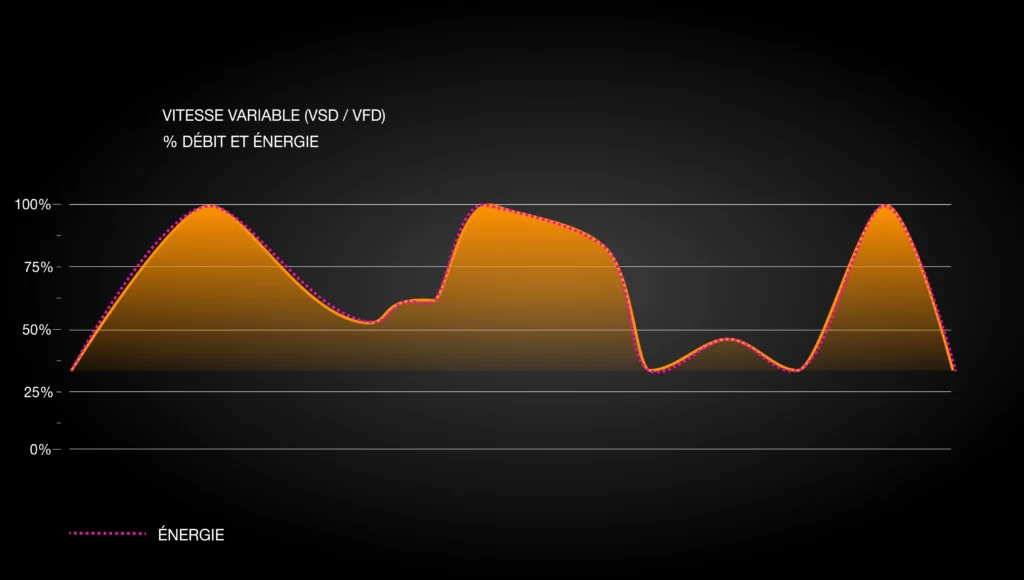
Check the modulation: load/unload, VSD or start/stop.
Internal reference: “Identifying an air compressor” fact sheet, Onyx M3.
Frequently asked questions
How can I tell whether a compressor is a screw or a piston type?
A screw compressor runs continuously, has a sound-insulated enclosure, significant ventilation and an air/oil separator. A piston compressor has a reciprocating (pop-pop) sound and exposed cylinders.
How do I recognize a high-pressure compressor (> 150 PSIG)?
Look for several compression stages: two pistons (or blocks) of different diameters with an inter-stage cooler are a good indicator of a piston compressor above 150 PSIG.
How can I tell whether a compressor is variable speed (VSD)?
The motor speed varies: the sound level changes slowly and a VFD (variable frequency drive) panel is present. The other common modes are load/unload, inlet modulation and start/stop.
Let’s talk about your compressed air system
A free consultation to pinpoint your fastest wins.